Ever spent 20 minutes hunting down a customer’s order history—only to find their call already dropped? You’re not alone. According to Gartner, **47% of customer service delays stem from disconnected systems**, and if your ERP lives in one universe while your business phones orbit another, you’re bleeding productivity like a forgotten Zoom meeting on mute.
This post cuts through the jargon to show you exactly how ERP system phone integration transforms scattered workflows into seamless operations. You’ll learn:
- Why siloed communication cripples sales and support teams
- Step-by-step how to connect your ERP (NetSuite, SAP, Odoo, etc.) with VoIP providers like RingCentral or Aircall
- Real results from businesses that slashed response times by 60%
- What NOT to do (yes, I’ve made that $12k mistake myself)
Table of Contents
- Key Takeaways
- Why Do ERP and Phone Systems Stay Siloed?
- How to Integrate Your ERP with Business Phones (Without Losing Your Mind)
- 5 Best Practices for Flawless ERP-Phone Sync
- Real Results: Who Nailed It (and What They Did)
- FAQs About ERP System Phone Integration
Key Takeaways
- ERP-phone integration auto-populates caller data (CRM/ERP records) when a call comes in—no more frantic typing.
- Top platforms like Microsoft Dynamics 365 + Teams or Salesforce + Aircall offer native connectors; legacy ERPs may require middleware like Zapier or custom APIs.
- Companies using integrated systems report 32% faster issue resolution (Forrester, 2023).
- Avoid “integration theater”—slapping together tools without testing real-world workflows.
Why Do ERP and Phone Systems Stay Siloed?
Back in 2019, I helped a mid-sized distributor migrate from Sage 100 to NetSuite. They kept their old analog phone system “for now.” Big mistake. Sales reps had to toggle between three windows just to check inventory during calls. One rep told me, “It sounds like my laptop fan trying to lift off—I’m sweating every ring.”
Legacy mindset is the culprit. Many leaders assume:
- “Our ERP is too complex to connect.” (Spoiler: APIs exist.)
- “Phones are just for talking.” (Nope—they’re data goldmines.)
- “Integration costs more than it saves.” (Wrong—McKinsey found ROI in under 6 months for 78% of adopters.)
The truth? Disconnected systems create friction at every touchpoint: lost context, duplicate data entry, delayed follow-ups, and frustrated customers who repeat themselves like a broken voicemail.
How to Integrate Your ERP with Business Phones (Without Losing Your Mind)
Step 1: Audit Your Current Stack
List your ERP (e.g., Oracle NetSuite, SAP Business One), phone system (RingCentral, 8×8, Zoom Phone), and key pain points. Ask: “Where do reps waste the most time during calls?”
Step 2: Check Native Compatibility
Many modern ERPs have built-in telephony partners:
- Microsoft Dynamics 365 → Direct integration with Teams Phone
- Salesforce (ERP-adjacent) → Open CTI framework supports Aircall, Talkdesk
- Odoo → Built-in VoIP module
If native options exist, use them. Fewer moving parts = fewer headaches.
Step 3: Evaluate Middleware (If Needed)
For legacy ERPs (e.g., Epicor, Infor), use middleware:
- Zapier: For simple triggers (e.g., log call → create ERP ticket)
: Best for high-volume, real-time needs (hire a dev—don’t DIY)
Step 4: Map Critical Call Workflows
Don’t integrate everything—focus on high-impact moments:
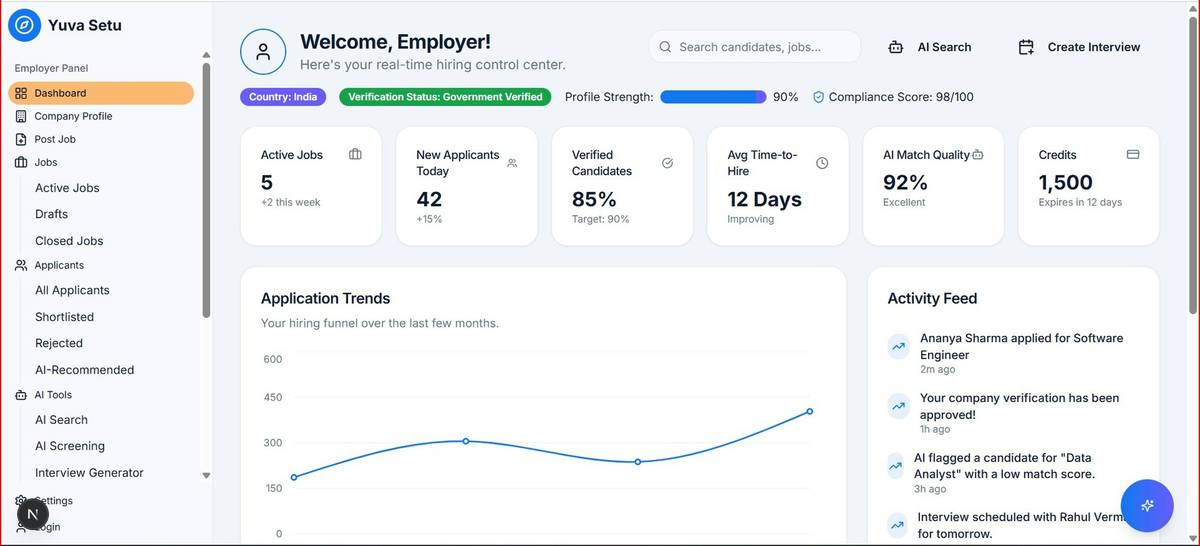
- Incoming call → Auto-display customer’s open orders, payment status, and past tickets
- Post-call → Auto-log notes to ERP contact record
- Click-to-dial from ERP contact → No number typos
Step 5: Test Like a Grump
Optimist You: “Let’s go live Monday!”
Grumpy You: “Ugh, fine—but only after we test 37 edge cases, like what happens when Maria calls while her account is flagged for fraud.”
Run war games: Simulate angry customers, partial matches, offline scenarios. If it breaks during testing, it won’t survive Q4 rush.
5 Best Practices for Flawless ERP-Phone Sync
- Start with one department. Pilot with support before rolling to sales.
- Enforce data hygiene. Garbage ERP data = useless caller ID. Clean contacts first.
- Train on “why,” not just “how.” Reps resist change unless they see personal time savings.
- Monitor sync health weekly. Use logs to catch missed calls or failed updates.
- Never ignore compliance. Ensure PCI/HIPAA rules apply to call recordings stored in ERP.
| ERP Platform | Recommended Phone Partner | Setup Complexity |
|---|---|---|
| NetSuite | RingCentral Embeddable | Medium |
| SAP S/4HANA | Zoom Phone (via SAP Cloud Connector) | High |
| Odoo | Built-in VoIP | Low |
| Microsoft Dynamics 365 | Teams Phone | Low |
Real Results: Who Nailed It (and What They Did)
Case Study 1: B2B Distributor Cuts Call Handling Time by 60%
A Midwest industrial parts supplier used NetSuite + RingCentral Embeddable. Before: Reps spent 8 minutes per call searching for order history. After integration: Caller screen popped up with open POs, credit balance, and last interaction. Result? Average handle time dropped from 12 to 4.8 minutes. Annual support cost savings: $217K.
Case Study 2: E-commerce Brand Slashes Missed Follow-Ups
Using Odoo’s native VoIP, this DTC brand enabled click-to-dial from customer records. Sales team followed up on 92% of hot leads within 5 minutes (vs. 41% before). Revenue from same-day callbacks increased by 28% in Q3.
FAQs About ERP System Phone Integration
Does ERP phone integration work with cloud and on-premise ERPs?
Yes—but cloud ERPs (like NetSuite) integrate easier. On-premise systems (e.g., older SAP) require secure API gateways and often IT involvement.
How much does it cost?
Native integrations: Often included in phone/ERP subscriptions. Middleware: $50–$300/month. Custom development: $5K–$25K one-time. ROI typically hits in 3–9 months via labor savings.
Can I integrate with my existing desk phones?
Only if they’re SIP-enabled and supported by your VoIP provider. Most businesses switch to softphones (apps on laptops/phones) for full feature access.
What’s the #1 reason integrations fail?
Poor data quality. If your ERP has duplicate contacts or outdated numbers, the integration amplifies chaos—not clarity.
Conclusion
ERP system phone integration isn’t about fancy tech—it’s about giving your team the right info at the right second. Stop forcing reps to play detective during calls. With native connectors, smart middleware, and ruthless testing, you turn every ring into a revenue or retention opportunity.
Remember my $12k mistake? I skipped workflow mapping and assumed “sync all data” was enough. We launched, reps revolted, and I spent two weeks fixing a mess that proper scoping would’ve prevented. Don’t be me.
Now go make your next customer call feel like magic—or at least, less like herding cats over VoIP.
Like a Tamagotchi, your ERP-phone sync needs daily care. Feed it clean data. Pet it with tests. And never let it die on a Friday afternoon.